> For the complete documentation index, see [llms.txt](https://docs.humandataincome.com/llms.txt). Markdown versions of documentation pages are available by appending `.md` to page URLs; this page is available as [Markdown](https://docs.humandataincome.com/hudi/platform/data.md).
# Data
Explore and manage the diverse data types stored in your Data Wallet. Use integrated apps to process, analyze, and leverage your data, all within a secure and user-friendly environment.
### **Data Wallet Interface**
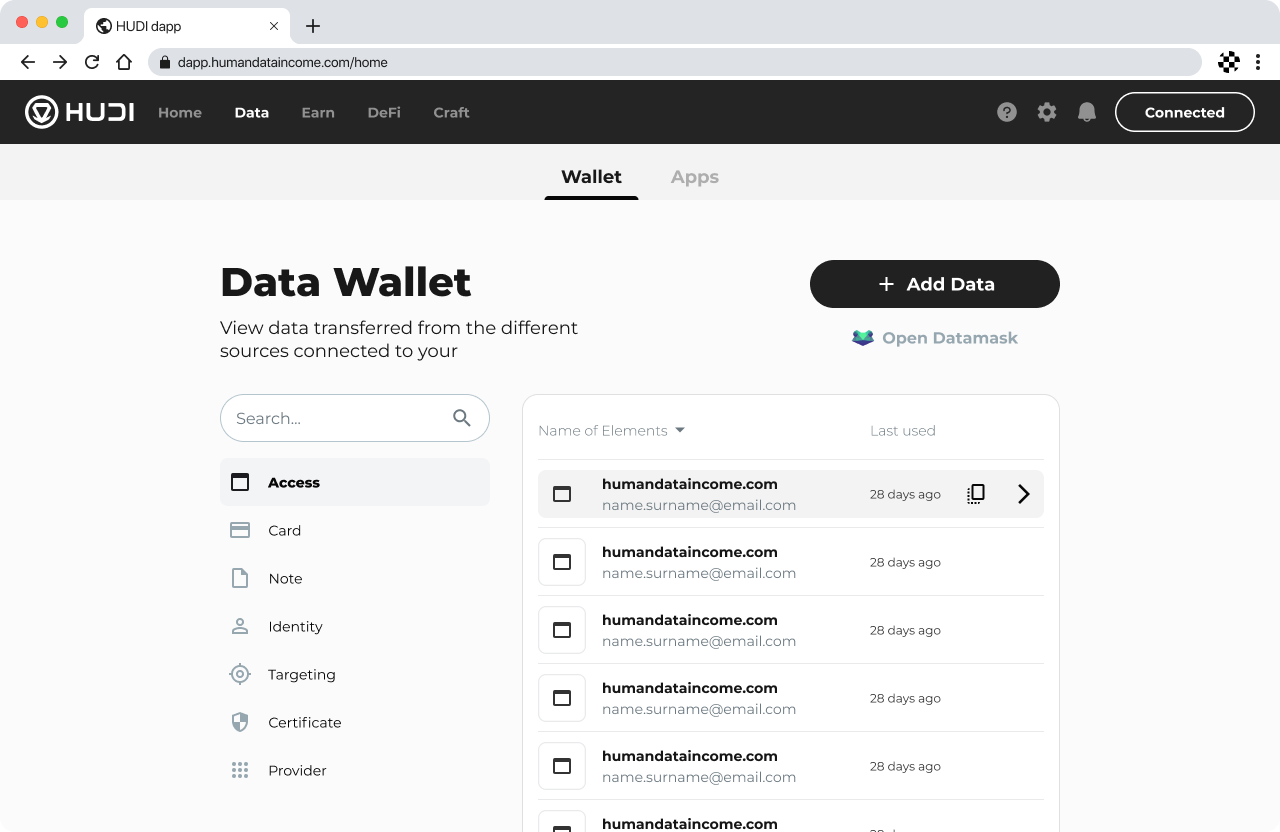
Data Wallet Interface
The Data Wallet interface provides a comprehensive view of all the data transferred from different connected sources. Here, users can easily search and access different categories of data, including Access, Card, Note, Identity, Targeting, Certificate, and Provider. The option to "Add Data" allows users to expand their wallet's capabilities, while the integration with Datamask ensures data remains secure and accessible across platforms.
While you can manage your data directly through the dApp, the Data Wallet is also fully integrated with DataMask, HUDI’s dedicated Data Wallet app, providing enhanced security and convenience. Whether accessing your accounts, notes, identities, or other data types, the dApp ensures that your information is organized and accessible with a few clicks.
### Data Apps Section
HUDI introduces a groundbreaking concept alongside the Data Wallet: Data Apps. These are specialized applications that interface seamlessly with your Data Wallet, allowing for easy, transparent, and direct utilization of your stored data. The first Data App, Health, enables you to analyze your anonymized health data securely.
* **Data Apps Interface:** HUDI has pioneered not just the concept of a Data Wallet but also that of Data Apps. Data Apps are unique applications that interact directly with your Data Wallet, providing a secure and user-friendly way to utilize the data you’ve stored. Through these apps, data is accessed in a transparent manner, ensuring full control and privacy for the user.
* **Health App:** The first Data App developed by HUDI is the Health app. This innovative tool allows you to analyze your health data, such as blood test results, in a secure and anonymized manner. By interfacing directly with the Data Wallet, Health ensures that your sensitive information is handled with the utmost care, leveraging AI to provide insights while maintaining your privacy.